
KDP listing prep: written for you, uploaded by you.
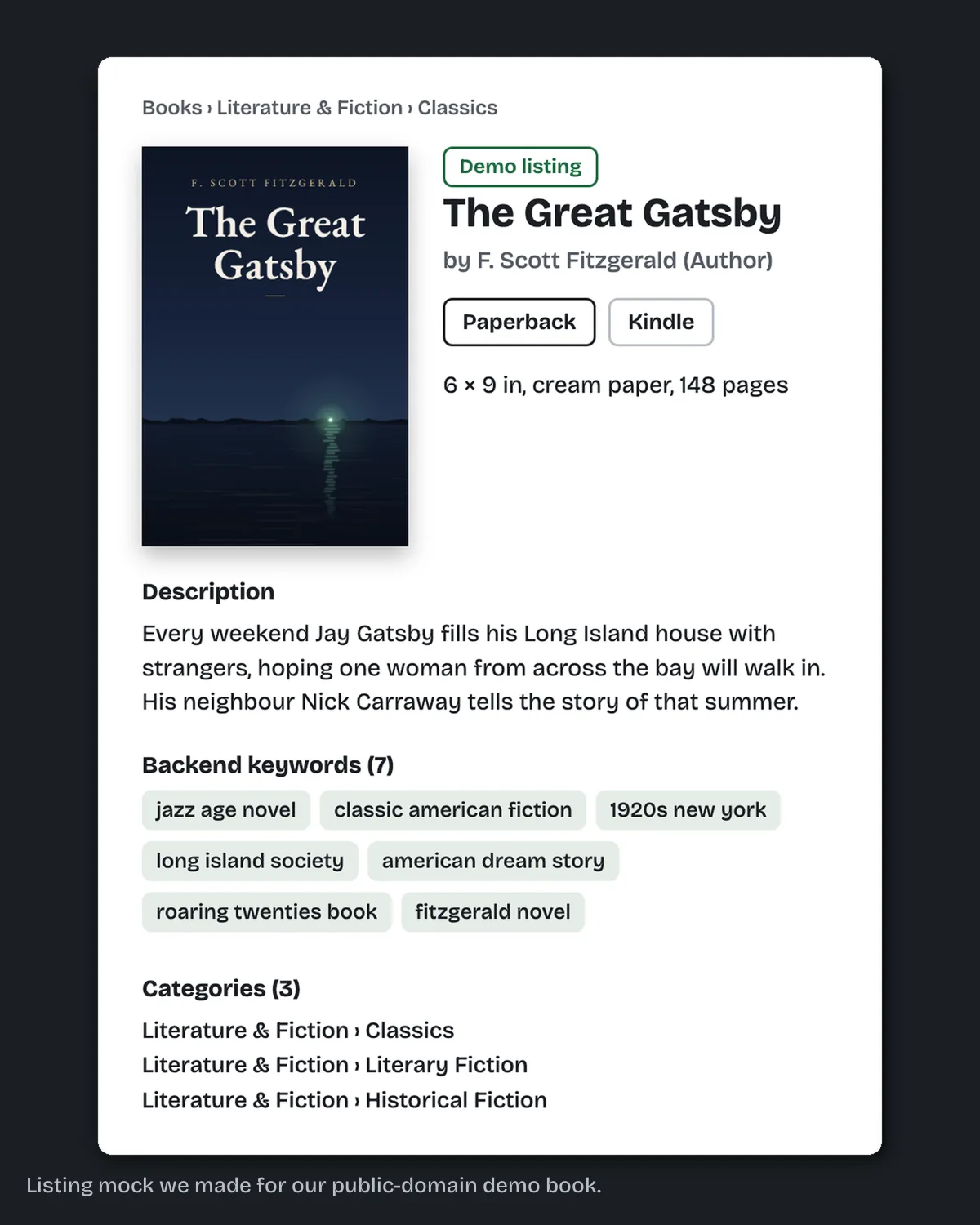
- Screenshots with every file
- Free sample first
- Upload help inside your KDP account
- Calls and meetings when you want them
What does it look like before and after?
Before, you have a finished book and empty KDP fields. After, you have one document with the description, 7 keywords, 3 categories and the title and subtitle fields, each labelled by its KDP field, plus our upload guide. KDP listing prep costs $99 in 2 business days. You paste it in, or we enter it with you inside your KDP account.
Page 1 of the upload guide in every package
Your KDP upload guide, from Clean Page Press
Your files are finished and checked. This guide walks you through putting them on Amazon KDP in your own account. Your KDP account stays yours, and you keep every right and every royalty.
How do I upload the ebook?
Upload the EPUB on the content page of your Kindle eBook setup. From your Bookshelf, click the three dots next to the book and choose Edit eBook content, then go to the Manuscript section and click Upload eBook manuscript.
Every step links to the KDP help page it comes from.
A page of the check file sent with your files
Print-spec check: The Great Gatsby sample book
Run 11 October 2026 on after.pdf, measured at 300 dpi
- Pages
- 14, all 6 × 9 in (432 × 648 pt); trim box matches
- Folio 1, recto
- inside 0.747 in · outside 0.597 in · foot 0.420 in
- Folio 6, verso
- inside 0.743 in · outside 0.603 in · top 0.437 in · foot 0.417 in
- Folio 7, recto
- inside 0.747 in · outside 0.597 in · top 0.437 in · foot 0.417 in
- Fonts
- EB Garamond Regular, Italic and SemiBold: every one embedded
Text from our guide and from the check file of our Gatsby sample book, set as they are sent.
What is KDP listing prep?
KDP listing prep is the text on your book's Amazon page and behind it: the description, the keywords, the categories, the title and the subtitle. We write all of it in one document, with 7 keywords and 3 categories, and you paste each part into the matching KDP field, or we enter it with you.
Planning your launch date? See the book launch services.
Can you upload it for me?
Yes. We can work inside your KDP account to upload the files, with you on a screen share or with the access you choose to give for the upload. If you would rather upload yourself, our step-by-step guide covers every click. Every step of the guide links to the KDP help page it comes from, and after the upload we check your Print Previewer screenshots.
Do you promise sales or a ranking?
No. We write clear, accurate listing text: a description, 7 keywords, 3 categories and the title fields. Nobody can promise how Amazon ranks a book, and we don't. We also don't run ads or buy reviews, and we never sell marketing results.
Do I need this if I order a formatting package?
Not for the upload itself. Every formatting package already includes the Kindle Previewer and print-spec checks, the screenshots and the upload guide. Listing prep is the writing on top: the description, 7 keywords, 3 categories and the title fields, for $99 in 2 business days.
How does the upload work?
You upload in your own KDP account from our files and guide, or we do it with you inside it. On your own, it goes like this. We send the checked files, the screenshots and the listing text. You create the book, paste each part into its field, upload the interior and cover, and send us your Print Previewer screenshots. We check them before you publish.
We send your files, the check screenshots and our upload guide.
We send your listing text: description, 7 keywords, 3 categories, title and subtitle.
You sign in to your own KDP account and create the book.
You paste the title, subtitle, description and keywords into the matching fields.
You pick the categories we wrote down.
You upload the interior and cover files.
You open KDP's Print Previewer and send us the screenshots.
We check them and tell you if anything needs a change before you publish.
What does KDP listing prep cost?
KDP listing prep costs $99 in 2 business days, including the Print Previewer check after you upload. A+ Content with 3 modules is another $99 in 5 business days. The launch package, with the interior, ebook cover, full wrap, listing prep and A+ Content, is $749 in 18 business days.
$99
| Service | Price | Business days |
|---|---|---|
| KDP listing prep (description, 7 keywords, 3 categories, title and subtitle fields, Print Previewer check after upload) | $99 | 2 |
| A+ Content (3 modules) | $99 | 5 |
| Launch package: interior, ebook cover, full wrap, listing prep and A+ Content | $749 | 18 |
Our guarantee: Rejected by KDP for a formatting reason? Tell us within 60 days of delivery and the fix costs nothing.
How do I order?
You order online. Pay the posted price by card through Stripe, then send your book's details on the page that opens after payment. The listing comes back as one document with every part labelled by its KDP field.
Pay the posted price.
By card through Stripe. Or message us first to book a call.
Today
Send what we need.
The page after payment asks for your book title, the genre, and the manuscript (or a link, or a short summary).
Right after you pay
Get your listing.
One document, with every part labelled by its KDP field, ready to paste.
2 business days
Upload it, and we check.
You paste it into KDP, or we enter it with you inside your account. Then we check the Print Previewer screenshots before you publish.
After you upload
Can you help me set up on IngramSpark too?
We can help with IngramSpark. You get your title details written ready to paste, an upload guide for IngramSpark's screens, and a check of your files. IngramSpark publishes its own file requirements, so we check your files against those, not against KDP's.
IngramSpark setup is $99 and takes 3 business days. We prepare everything the same way we do for KDP, you upload it to your own IngramSpark account, or we upload it with you inside it.
One thing to know before you start: the free ISBN from KDP works only on KDP. KDP's own help says those ISBNs "can only be used on KDP. They cannot be used to publish outside of KDP" (kdp.amazon.com/en_US/help/topic/G201834170, checked 2026-10-11). A paperback sold through IngramSpark needs an ISBN of its own. We don't sell ISBNs; you buy them from your country's ISBN agency.
What isn't included?
We don't publish the book, run ads, buy reviews or file copyright, and we never sell ISBNs or marketing results. What you get is the listing text, ready to paste, and a check of your Print Previewer screenshots. The upload happens in your own KDP account. You do it yourself, or we do it with you when you want.
What else do authors ask?
What does KDP listing prep include?
At Clean Page Press it is $99 in 2 business days: a book description, 7 keywords, 3 categories and the title and subtitle fields, written ready to paste into KDP.
How do I know you're any good?
Every package includes our upload guide and the Kindle Previewer and print-spec screenshots, and after you upload we check your Print Previewer screenshots before you publish. You can also ask for a free sample of your interior first.
Do you need my KDP login?
Only if you want us to upload for you. Then we do it with you inside your KDP account, on a screen share or with access you give for the upload and take back after. If you upload yourself, our step-by-step guide covers it. You keep every right, royalty and file, and we never take a percentage or hold your account.
Can someone help me upload my book to KDP?
Yes. Clean Page Press sends your files with check screenshots and a step-by-step upload guide, or uploads them with you inside your KDP account, and after the upload we check your Print Previewer screenshots.
Will listing prep get my book ranked?
We don't promise sales or rankings. We write accurate listing text. You paste it in, or we enter it with you inside your KDP account.
What is A+ Content?
A+ Content is the images, text and comparison tables in the "From the Publisher" section of a book's Amazon page. We make a set of 3 modules for $99 in 5 business days.
What comes after this?
Launch
A plan for launch week, the images to post, and a home for your books.
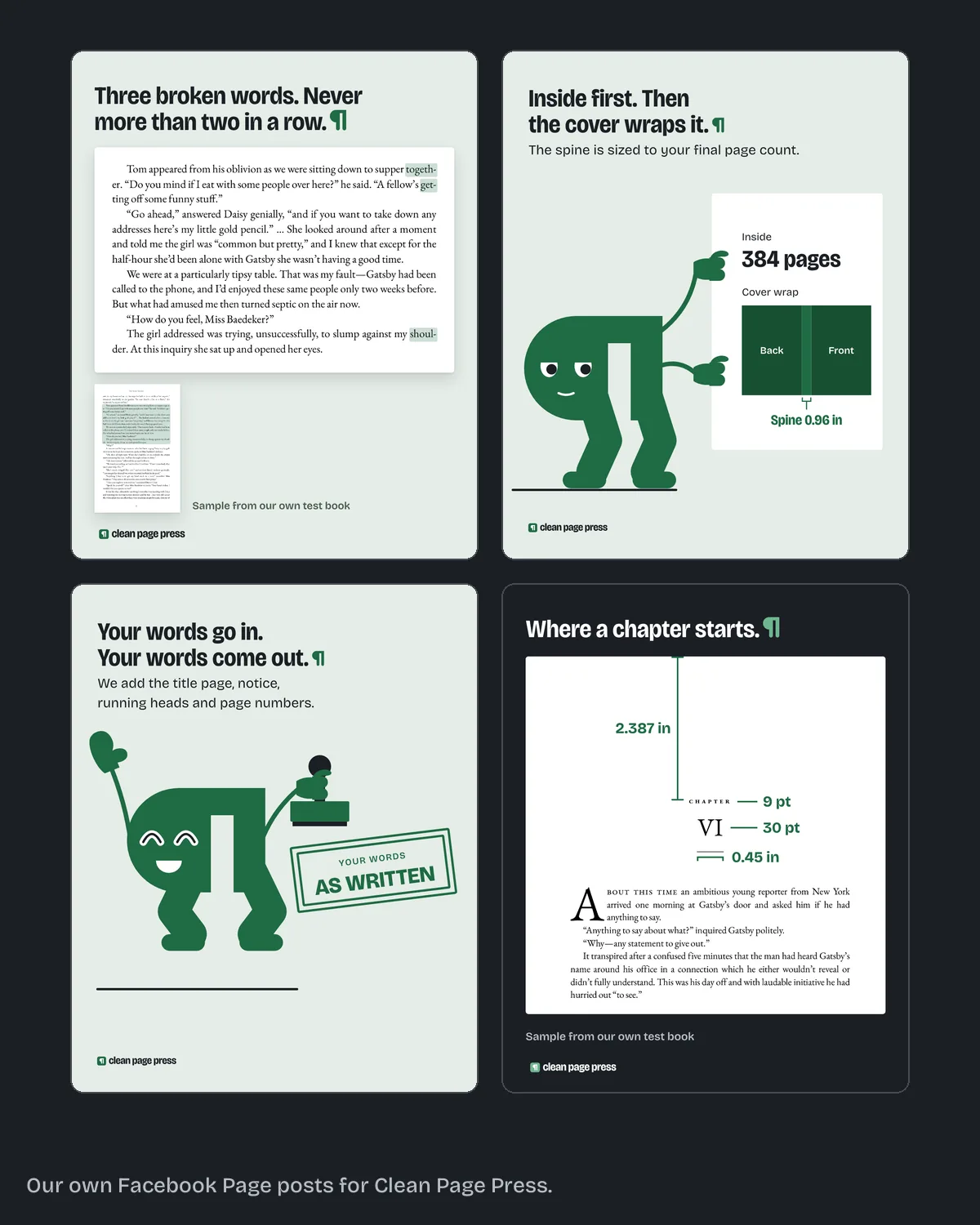
Launch plan and graphics kit
$249, kit $997 business days
Dated to your launch day. You run it.
Get a free sample of your own book
Up to 1,300 words of your manuscript, set at your trim size, back in 2 business days. No card.
- We pick the 1,300 words that show your layout best.
- Your price comes with the sample.
- You only pay if you order.