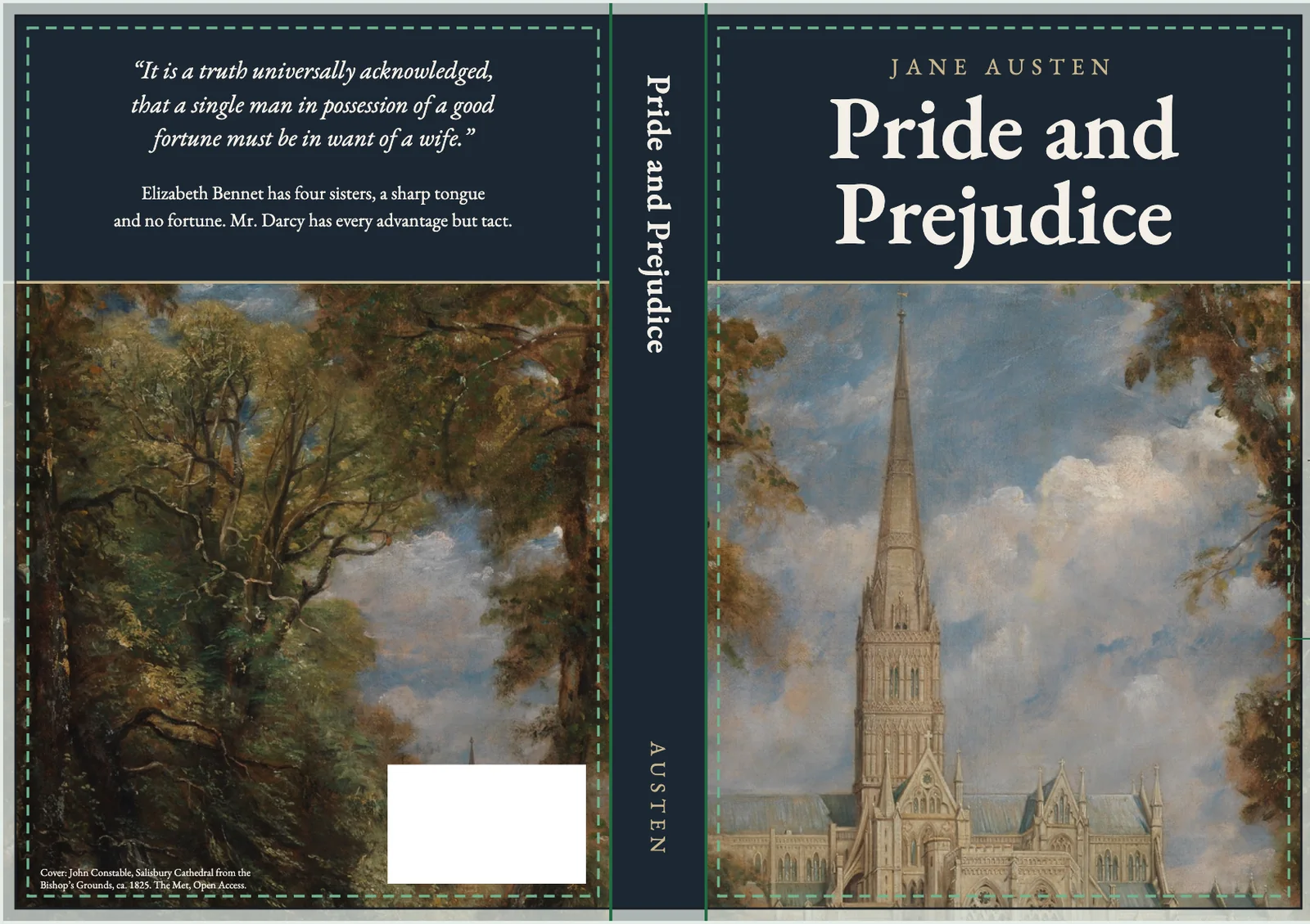
Short answer. A KDP hardcover cover template is not your paperback template made bigger. The art has to run 0.51 inch past the front cover edge to wrap the board. Text sits at least 0.635 inch from the edge, and a 0.4 inch hinge beside the spine stays empty. Download it from KDP's cover calculator with your final hardcover page count.
Key points
- The hardcover wrap is 0.51 inch. That part folds round the board and is glued inside.
- Keep text and images 0.635 inch from the edge of the book.
- A 0.4 inch hinge sits between the spine and the front and back safe areas. Nothing goes there.
- The spine width comes from the template. KDP's hardcover cover page gives no formula, so do not reuse the paperback number.
- Our hardcover interior from your paperback gives you the final page count the template needs.
Why can't I use my paperback cover for the hardcover?
Because a hardcover cover is printed onto a case and wrapped around a board. A paperback cover is trimmed flat. KDP's hardcover cover help says cover images "should extend 0.51 inch (15 mm) past the edge of the front cover", and that extra strip is glued to the inside of the case.
The spine is different too. It has to cover the board and the hinge, so a paperback spine width will not line up. Every measurement on the wrap moves.
What are the numbers on a KDP hardcover cover template?
From KDP's Create a Hardcover Cover page, read on 13 October 2026:
| Part | Hardcover |
|---|---|
| Wrap past the front cover edge | 0.51 in (15 mm) |
| Text and images from the edge of the book | at least 0.635 in (16 mm) |
| Hinge between spine and safe area | 0.4 in (10 mm), empty |
| Your own barcode | 2 x 1.2 in, 300 DPI |
| Barcode position | at least 0.76 in from the bottom, 0.25 in from the hinge |
| Image resolution | 300 DPI |
| File | one PDF: back, spine and front |

KDP says the 0.635 inch line is 0.125 inch inside the margin line on the template. It does not define the margin line. The diagram measures the 0.635 inch safe line and the 0.76 inch barcode distance from the outer edge of the file, which puts the safe line 0.125 inch inside the fold. Treat the template's guides as the source of truth and the table as a check.
How is it different from the paperback template?
Three things change. The paperback has a 0.125 inch bleed on every outside edge, which is trimmed off. The hardcover has the 0.51 inch wrap instead, which folds over the board. The hardcover also adds the 0.4 inch hinge, a strip the paperback does not have.
The rest is the same idea: one PDF with the back on the left, the spine in the middle and the front on the right. Our post on KDP paperback cover size and spine width has the paperback numbers if you are building both.
How do I get the template?
Use KDP's cover calculator and template generator. Pick hardcover, then enter your ink and paper, trim size and page count. It gives you a layout in inches or centimeters as a PDF and a PNG.
Our post on the KDP cover template generator and how to read it walks through the paperback version of the same screen.
Why does the page count have to be final?
Because the spine width on the template is built from it. If your hardcover interior gains or loses pages after the cover is done, the spine is wrong and the cover has to be redone.
This bites people adding a hardcover to a 5 x 8 paperback. 5 x 8 is not a hardcover trim, so the interior moves to 5.5 x 8.5 or 6 x 9, and the page count changes with it. When we checked the hardcover help on 13 October 2026, the five trims ran from 5.5 x 8.5 to 8.25 x 11 inches. Our KDP hardcover requirements post has the full list.
The fix we do for this: we make the hardcover interior from your paperback file at a valid trim, reset the gutter, and give you the final page count before you download the cover template. Ask for a free sample.
Where does the barcode go on a hardcover?
On the back cover, lower right. If you leave space and do not add one, KDP prints an ISBN barcode in a 2 x 1.2 inch white box there. If you supply your own, it must be 300 DPI, 2 x 1.2 inches, at least 0.76 inch from the bottom and at least 0.25 inch from the hinge.
Keep the barcode area clear of faces and title text, because KDP's white box sits on top of whatever art is there.
Can a short hardcover have spine text?
Be careful under 79 pages. Hardcovers start at 75 pages, and KDP's fix page for paperback and hardcover files says to remove spine text if the book has fewer than 79 pages. The hardcover cover page itself gives no spine text minimum, so we plan for the 79 rule.
What file size and format does KDP want?
One PDF. KDP recommends 40 MB or less, because big files slow printing, and files over 650 MB will not convert. Flatten layers before you export.
What else do authors ask about the KDP hardcover cover template?
No. Bleed is 0.125 inch and is trimmed off a paperback. The hardcover wrap is 0.51 inch and folds round the board.
No. KDP says to keep text and the barcode out of the 0.4 inch hinge.
KDP's Hardcover help page, read on 13 October 2026, says dust jackets aren't available and hardcovers print as case laminate, with the art on the case. Its cover calculator now lists a dust jacket cover type, so check there before you plan one.
No. Download a hardcover template and use its spine.
300 DPI.
What should you do next?
Fix your hardcover trim and page count first, then download the template. Our hardcover from paperback page shows how we make that interior for $59 in 3 business days, added to a paperback order.