Short answer. A book launch plan for a first KDP book works back from one fixed date. Four weeks out, the files and listing are final. Three weeks out, early readers have copies. Two weeks out, the posts, images and emails are written. Launch week is for showing up where your readers are. The plan carries on for four weeks after.
Key points
- Paperback first? KDP takes no print pre-orders, so launch day is day one.
- Pick the launch date first, then date every task back from it.
- KDP review takes up to 72 hours for Amazon.com, so upload well before launch day.
- KDP Select is a 90-day ebook program; it brings Kindle Unlimited, free days and Countdown Deals.
- Never pay for reviews or swap them. Ask early readers for honest ones.
What is a book launch plan?
A book launch plan is a dated list of what to do before, during and after the day your book goes on sale. It answers four questions: when the files are final, who reads it early, what you post each day, and which price or promotion you run.
The plan does not sell the book on its own. It makes sure the launch days are used and nothing is forgotten. Whether readers buy depends on the book, the cover, the price and the readers you can reach.
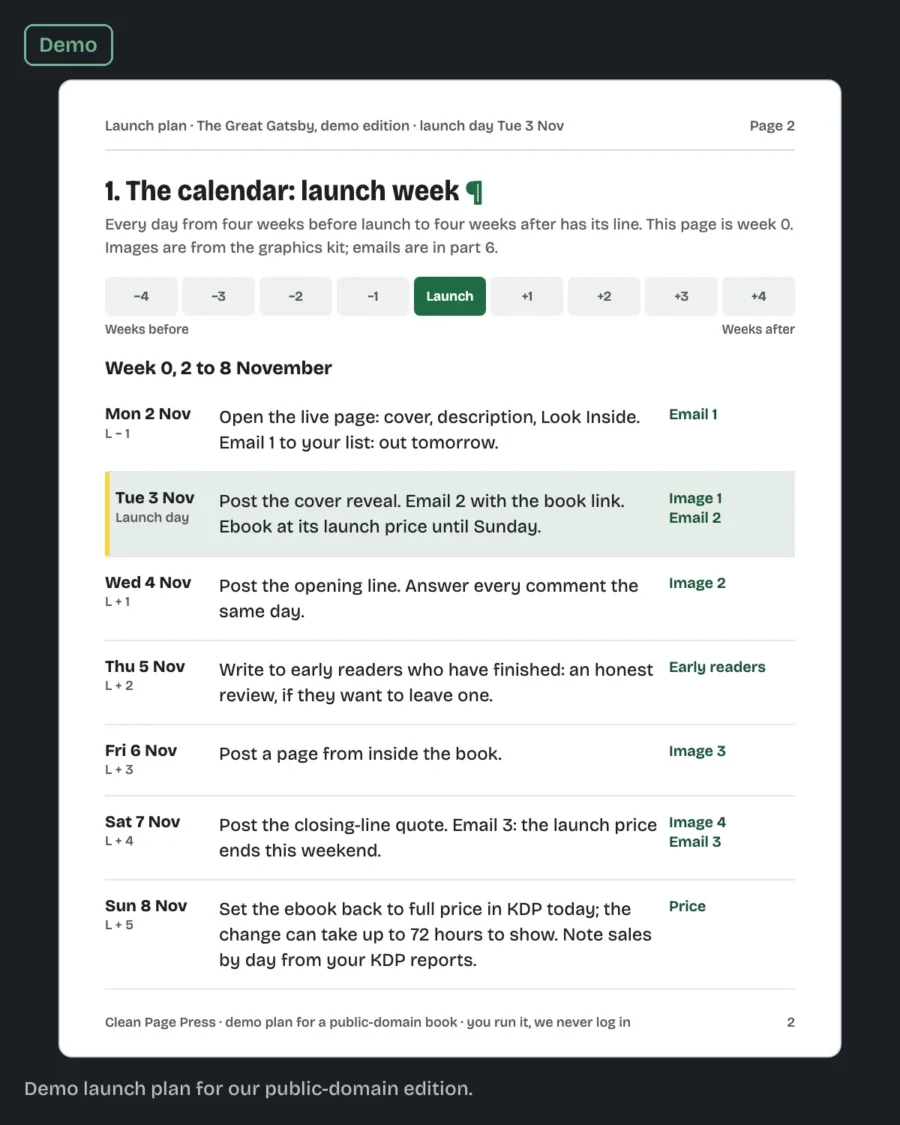
Our book launch services write this plan for one book and one date: a calendar from four weeks before launch to four weeks after, and the images to post with it.
What does the plan look like for a real date?
Take a launch on Tuesday 1 December 2026 and count back in whole weeks. Every date below is a Tuesday, so the same weekday carries the whole plan.
| Date | Weeks from launch | What is done by then |
|---|---|---|
| Tue 3 Nov 2026 | minus 4 | Interior, cover and listing final; book uploaded with 1 December as its release date |
| Tue 10 Nov 2026 | minus 3 | Early-reader copies sent out |
| Tue 17 Nov 2026 | minus 2 | Launch week posts, images and emails written |
| Tue 24 Nov 2026 | minus 1 | Final check: author copy in hand, KDP Bookshelf shows the release date, every post and email has the right link |
| Tue 1 Dec 2026 | launch | Announcement email, first launch post |
| Tue 8 Dec to Tue 29 Dec 2026 | plus 1 to plus 4 | Follow-up posts, thanks to early readers, launch price back to list price |
We checked each weekday against the 2026 calendar when we built this table. One thing it shows: the US Thanksgiving holiday falls on Thursday 26 November, two days after the final check. Have the posts written by the 17th and that week stays light.
Week minus 4: what has to be final?
The interior, the cover and the listing text. Everything later depends on them.
- Interior PDF and EPUB checked, in Print Previewer and Kindle Previewer.
- Cover sized to the final page count.
- Description, 7 keywords and categories written.
- Price decided.
Do this a month out because of KDP's own timing. Its Timelines page gives up to 72 hours for a new book to appear on Amazon.com, and longer for some other stores. A file that is rejected once and fixed can use up a week. Our post on why KDP keeps rejecting a book, with 10 formatting fixes covers the usual causes.
Should I set up a pre-order?
Only for the ebook. When we read KDP's Create a Book page on 13 October 2026, it listed the pre-order option as "PRE-ORDER (eBook only)." A paperback-first author cannot take orders on KDP before launch day for the print book.
What KDP does offer for print is a scheduled release. Its Schedule a Release page lets you pick a date up to 90 days ahead. The Amazon page stays hidden until that date, and once the book has passed review you can order author copies to hand to early readers.
That changes the plan for many first-time authors. If your readers mostly want the paperback, launch day is the first day anyone can buy it, so your posts and emails should point at that day, not at a pre-order link.
Week minus 3: who reads the book early?
Early readers, also called ARC readers. Give them the finished book now, so they have read it by launch week.
Ask for an honest review, good or bad. Do not pay for reviews, swap reviews with other authors, or offer anything in return for stars. Our own launch plans hold to that rule, and so should yours.
Week minus 2: what gets written?
The posts, the images and the emails.
- One post for each day of launch week, written to match the images.
- Images sized for the places your readers are: Facebook, Instagram or both.
- Three emails if you have a list: the announcement, a reminder and a last call.
Write them now, so launch week is spent answering readers, not writing.
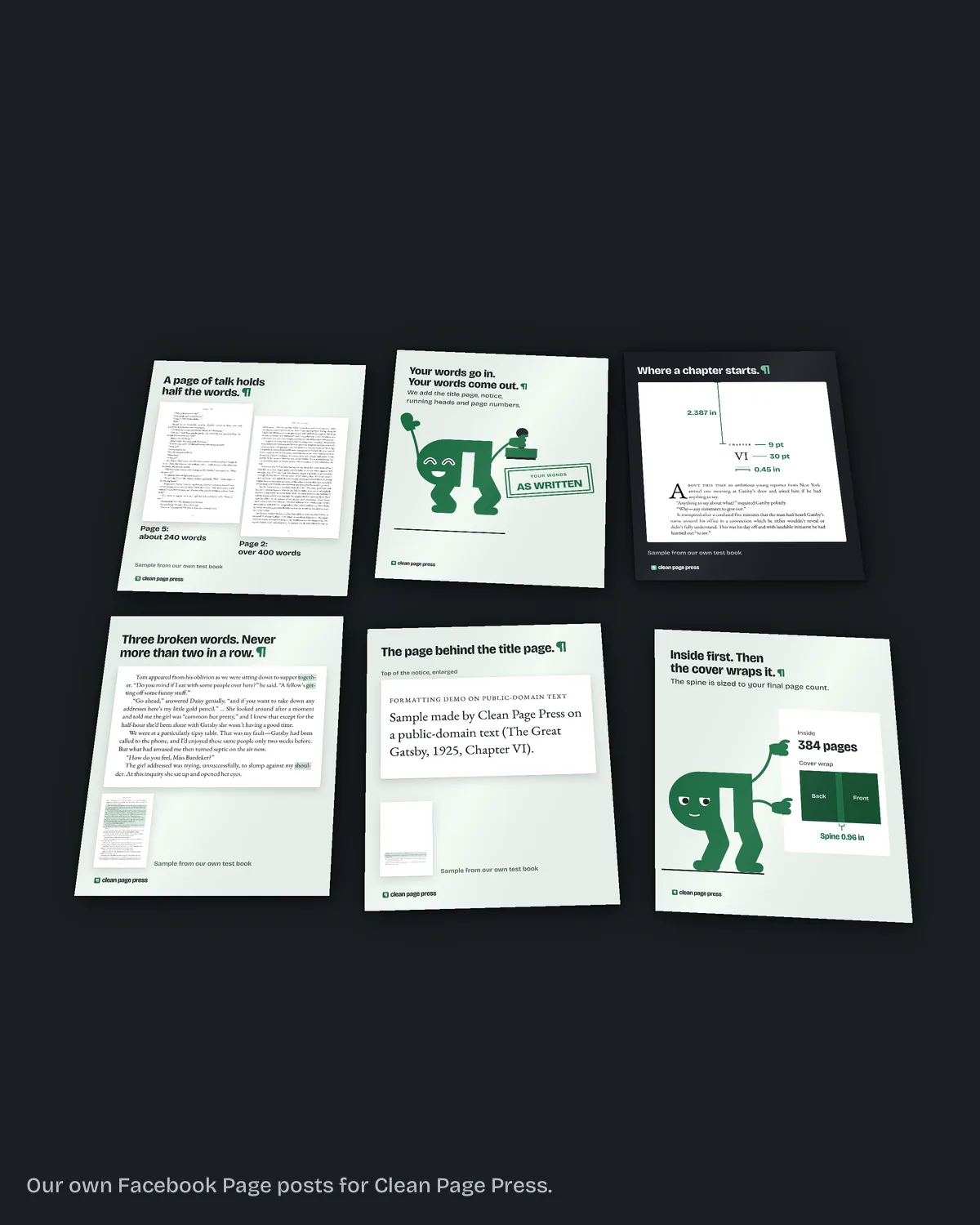
The fix we do for this: we write your launch plan in six parts, dated day by day around your launch, for $249 in 7 business days, and make a graphics kit of 6 social images and 1 ad image from your cover for $99 in 5 business days. You run it; we promise no sales. Tell us your launch date.
Week minus 1: what do I check?
What you can see before the Amazon page goes live. On a scheduled release, the paperback's page stays hidden until launch day, so this week's check is about the book and the dates.
Have an author copy in hand and leaf through it once more. Open your KDP Bookshelf and confirm it shows the release date you picked. If the ebook is on pre-order, open its Amazon page and read the listing there.
Launch week: what do I do each day?
Show up in the two or three places your readers already are, one post a day, and answer every comment. Send the announcement email on launch day.
Start launch morning with a check before you post anything. Look at your Amazon page on a phone, then click the buy link in every post and email you wrote.
Do not spread thin across every platform. If your readers already know you in one Facebook group, post there, if its rules allow book posts, before you open a new account anywhere else.
Where do I announce the launch?
Announce it where people already know you: your email list first, then your own social accounts, then the groups you take part in. In a group, read its written rules before you post. If they allow book posts, post there. If they do not, answer questions as a member and keep the news on your own pages.
Tell the people around you as well. Friends, colleagues and a local book club count. Give them the date ahead of time and send the link on the day. Ask them to buy, share or tell a friend; leave reviews to your early readers.
Should I enroll in KDP Select for launch?
It depends on where you sell the ebook. KDP Select is a free 90-day program for Kindle ebooks only. Enrolled books join Kindle Unlimited and can use Free Book Promotions and Kindle Countdown Deals. Countdown Deals run only on Amazon.com and Amazon.co.uk.
Read KDP Select's terms before you enroll, and decide early: the free days and Countdown Deals only help if they are on the calendar. The program covers the ebook, not the paperback.
Weeks plus 1 to plus 4: what happens after launch?
Keep posting, less often. Thank the early readers.
In week plus 1, check that the paperback and ebook are linked on one Amazon page. KDP links them automatically when the author name and title of both editions match exactly, and its Timelines page allows up to a week after both are live. Note which post, email or group brought the most clicks, and do more of that.
If you planned a price promotion, this is when it runs. A launch price for week one, then the list price, is simpler than changing it every few days.
What else do authors ask about a book launch plan?
At least four weeks before launch day, with the files final at that point.
No. KDP lists pre-orders as ebook only.
Up to 72 hours for Amazon.com, longer for some other marketplaces.
No. Ask early readers for honest reviews, and never pay for or swap them.
Your email list, your own social accounts, and groups whose written rules allow book posts.
No. It helps. Without one, the plan leans on the places your readers already gather.
What should you do next?
Write down your launch date and count back four weeks. Send that date through our launch plan page and the $249 plan comes back dated to it, with the $99 graphics kit if you want the images made too.