Short answer. Atticus vs Vellum starts with your computer: Vellum runs only on a Mac, and Atticus runs almost anywhere. With several books to publish, either tool pays off. For a plain book on a small budget, KDP's free tools may be enough. For a complex layout, or no spare evenings, hire a formatter.
We sell KDP formatting, so we are not neutral: our fixed-price book formatting is $249 for ebook and paperback. We built this comparison from each product's own page, and we say where a source has an interest.
Atticus vs Vellum: how do they compare at a glance?
Atticus vs Vellum starts with your computer: Vellum runs only on a Mac, and Atticus runs almost anywhere. Atticus is a single payment with a 30-day refund. Vellum is a one-time $249.99 for print and ebook. KDP's own tools are free, and our fixed-price formatting is $249 for ebook and paperback.
| Atticus | Vellum | KDP's Word template or Kindle Create | A formatter (including us) | |
|---|---|---|---|---|
| Price | $147, one-time, no monthly fees | $199.99 ebooks only, $249.99 ebooks and paperbacks | Template is free. Kindle Create is listed as free by Kindlepreneur | Ours: $249 ebook and paperback up to 80,000 words, $99 ebook only, $169 paperback only. Others in our post on what book formatting costs |
| Platforms | Windows, Mac, Linux, Chromebook (works in a browser) | Mac only, macOS 13 or newer | Word for the template. Kindle Create runs on Windows and Mac | Not applicable |
| Trial or refund | 30-day money-back guarantee. No trial mentioned | No trial mentioned. Free installer lets you build and preview before buying | Free | Ours: free sample of up to 1,300 words |
| Output | EPUB and PDF. Imports DOCX | EPUB 3 and EPUB 2 for ebooks. PDF/X-1a for print | KPF file for ebook and paperback. Word or PDF for paperback | Files for KDP |
| Books | Unlimited, with future updates included | Unlimited | Unlimited | Per book |
Sources: atticus.io, vellum.pub, Prepare Your eBook and Paperback with Kindle Create, Paperback and Hardcover Manuscript Templates and Kindlepreneur's software roundup, updated September 21, 2026. Vellum's prices exclude tax. That roundup's author co-founded Atticus, and the site discloses this.
Who is Atticus for?
Atticus is for authors who want a single payment that includes future updates, and an app that runs on Windows. It works on any platform, as a progressive web app in your browser, and one file can make both the ebook and the print-ready book. It also comes with a 30-day refund, which lowers the risk of trying it.
What it is. A formatting app that works on any platform, as a progressive web app in your browser. It imports a Word file and exports EPUB, PDF and DOCX. One file can make both the ebook and the print-ready book.
Why choose it. The price is a single payment, it includes future updates, and it runs on Windows.
What to check. Atticus's page does not say its output is "KDP-ready". You still choose the right trim size for your page count, and you still have to run your PDF through KDP's Print Previewer.
Who is Vellum for?
Vellum is for authors on a Mac who write many books. A one-time $249.99 covers print and ebook with no per-book fee. Vellum Ebooks makes unlimited ebooks for Kindle, Kobo, Apple Books and others, and Vellum Press adds print paperbacks and hardcovers as a PDF/X-1a file. It runs only on macOS 13 or newer.
What it is. A Mac app. Vellum Ebooks makes unlimited ebooks for Kindle, Kobo, Apple Books and others. Vellum Press adds print paperbacks and hardcovers as a PDF/X-1a file.
Why choose it. If you are on a Mac and write many books, a one-time $249.99 covers print and ebook with no per-book fee. You can build and preview a book in the free installer before you buy.
What to check. Vellum's page also does not describe its output as "KDP-ready", so the same rules apply: trim size, margins for your page count, and the Print Previewer.
Are KDP's own tools enough?
KDP's own tools are enough for a plain, text-based book. KDP gives you free Word templates with the page size and margins already set, and Kindle Create, which makes an ebook and a paperback from one manuscript. Kindle Create does not support paperbacks with tables, footnotes or endnotes, and you cannot customise margins or change the paperback font.
They have limits you should know about. KDP's own page says Kindle Create does not support paperbacks with tables, footnotes or endnotes, and does not support paperback images that bleed to the edge. You cannot customise margins, and you cannot change the paperback font. With the Word template route, the work is yours: KDP tells you to customise the template and delete what you do not need.
When is hiring a formatter worth it?
Hiring is worth it when your book has images, tables, footnotes or a complex layout, when you have one book and your time is worth more than the price of a service, or when you want a guarantee. It is not when you publish a plain-text book, are comfortable learning a tool and plan more books.
What you pay for. Someone else sets the trim size, gutter, fonts and table of contents, checks the file, and handles rejections. Reedsy's own guide says book interior design averages $800 on its marketplace, with about half of projects between $475 and $1,275, and says you should pay a professional for heavy specialist layouts such as cookbooks. Source: Reedsy cost guide, updated August 13, 2026. Fixed-price services such as ours quote one price per book instead of negotiating a project. We charge $249 for ebook and paperback up to 80,000 words, delivered in 10 business days. If KDP rejects our files for a formatting reason within 60 days of delivery, we fix them free until they are accepted. Ebook only is $99, and paperback only is $169.
When it is worth it.
- Your book has images, tables, footnotes or a complex layout, which KDP's free tool does not handle.
- You have one book, and your time is worth more than the price of a service.
- You want a guarantee. A good service tells you in writing what happens if KDP rejects the file.
When it is not. You are publishing a plain-text book, you are comfortable learning a tool, and you plan more books. A one-time $147 or $249.99 tool is cheaper over several titles.
How do you decide?
Decide on your computer, the number of books you will publish, whether your book has images, tables or footnotes, and what your time is worth this month, then try before you pay. Windows or Linux rules out Vellum. More than two or three books points to buying a tool. If a launch date is close, a fixed turnaround helps.
- What computer do you use? Windows or Linux rules out Vellum.
- How many books will you publish? More than two or three points to buying a tool.
- Does your book have images, tables or footnotes? If yes, check each tool on a real chapter before you buy, or hire someone.
- How much is your time worth this month? If a launch date is close, a fixed turnaround helps. Ours is 10 business days for ebook and paperback, and you skip learning a tool under deadline.
- Can you try before you pay? Vellum's installer lets you build and preview first, Atticus offers a 30-day refund, and we format up to 1,300 words of your book free.
What should you check, whichever you choose?
A tool does not guarantee KDP will accept the file. We hold our own files to the same list, and we checked our sample chapter for 34 lines a page and every font embedded.
Check these every time, using KDP's help pages: trim size and margins for your page count (Set Trim Size, Bleed, and Margins), bleed, embedded fonts, and the Print Previewer (Fix Paperback and Hardcover Formatting Issues). Our post on why KDP keeps rejecting books lists the common causes.
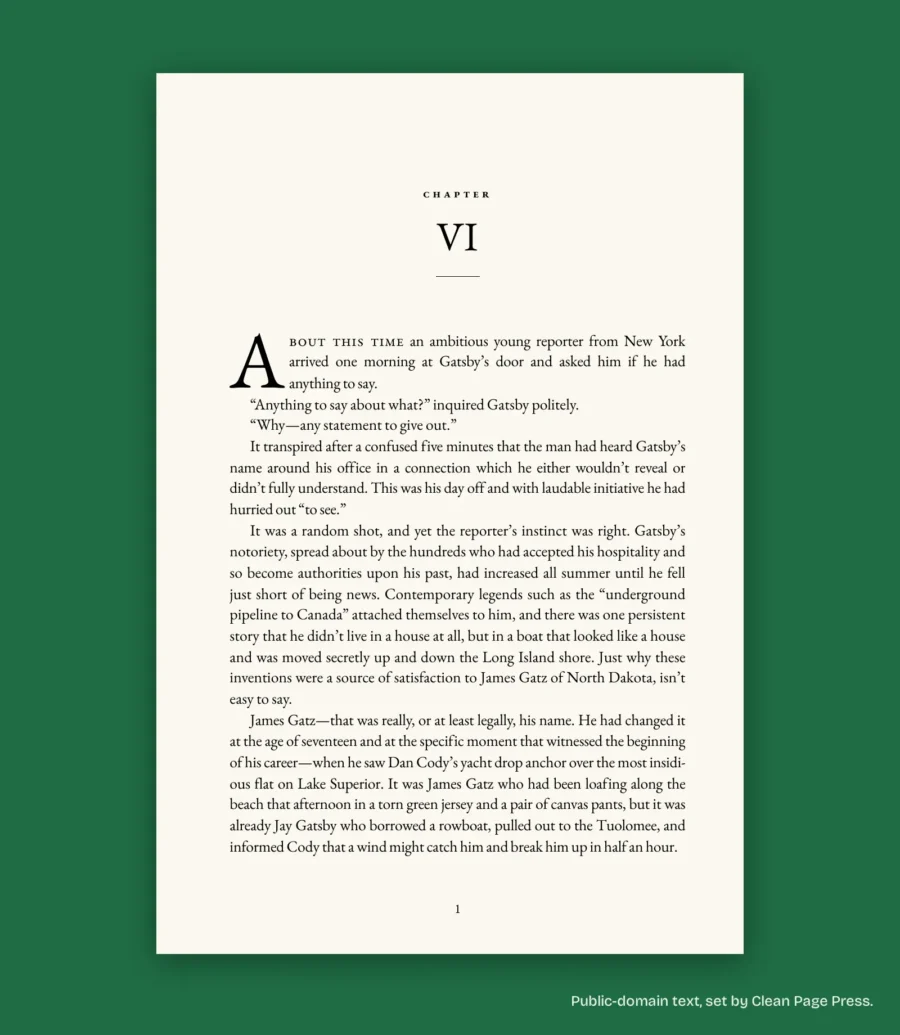
On the 6 x 9 sample chapter from The Great Gatsby that we set on October 10, 2026, we checked the PDF for 34 lines a page and every font embedded before we called it done.
What else do authors ask?
That depends on you. If you are on a Mac and will publish several books, its one-time price is lower than Reedsy's average for a single marketplace job. If you have one plain book, the free tools may do.
Atticus if you are on Windows, Linux or a Chromebook, or want the lower price. Vellum if you are on a Mac and prefer its approach. Try each on a real chapter first.
Yes. Neither tool changes what KDP checks.
Not sure which route fits your book?
If you do hire someone, read who does the work at Clean Page Press first. Our other KDP formatting guides go deeper on the Word, software and hiring routes.
Send us your manuscript and trim size and we will format up to 1,300 words free, one sample per author, back in 2 business days, so you can compare the result with what you could do yourself. Ask for your free sample, or message our Page on Messenger.
KDP facts were checked against KDP's help pages on 2026-10-12. Other products' prices and features were checked on each product's own page on 2026-10-08. They change, so confirm before you buy.