Short answer. A KDP picture book PDF with bleed is 0.125 in wider and 0.25 in taller than the trim size. An 8.5 x 8.5 book becomes 8.625 x 8.75. Run every edge-to-edge picture 0.125 in past the trim, keep all text inside the margins, export single pages, not spreads, and choose premium color if the book is under 72 pages.
Key points
- Page size with bleed: trim width plus 0.125 in, trim height plus 0.25 in.
- Art that touches an edge has to extend 0.125 in past the top, bottom and outside trim lines.
- Text never bleeds. KDP wants it inside the margins, and the outside margin with bleed is at least 0.375 in.
- Upload single pages. KDP does not accept spreads or 2-up files.
- A bleed interior has to be a PDF.
- Standard color starts at 72 pages; premium color starts at 24.
- Images at 300 DPI minimum, transparency flattened, fonts embedded, no crop marks.
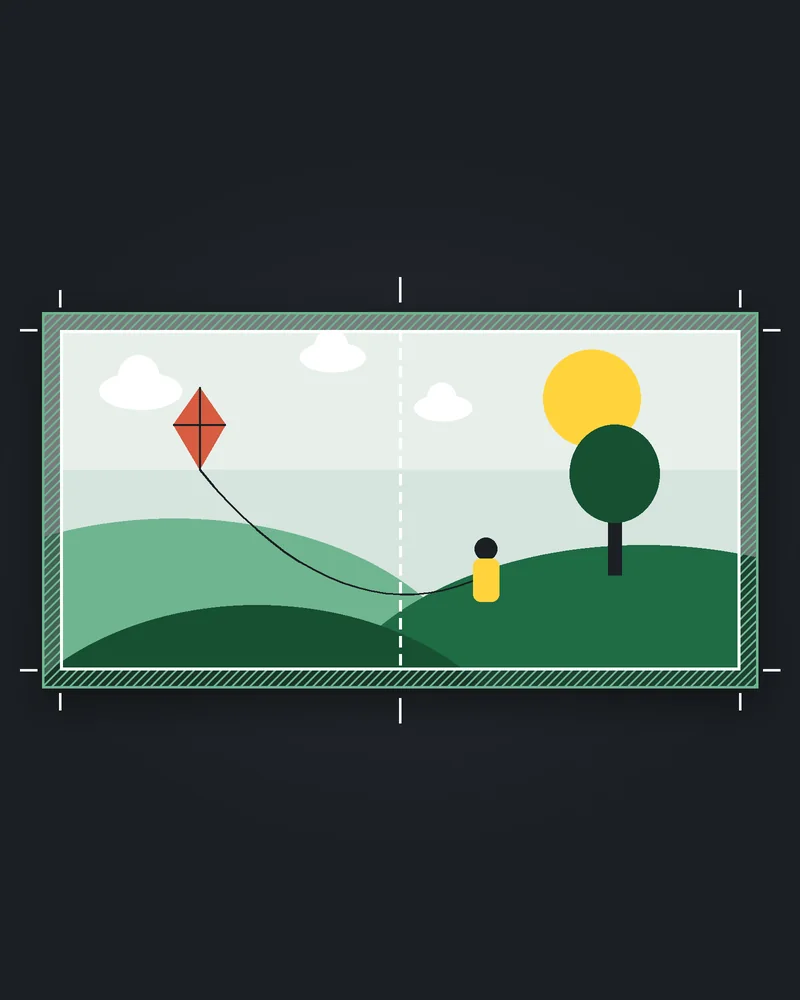
In the image at the top of this post, the hatched bleed band is drawn wider than the real 0.125 in so you can see it on screen.
Why is a picture book harder to set up than a novel?
Because almost every page touches an edge. A novel is a column of text sitting well inside the margins. A picture book puts art right up to the trim on page after page, and often across two facing pages.
That changes three things at once: the page size, where the art can sit, and how the file is exported. If you are still deciding whether your book needs bleed at all, our post on KDP bleed vs no bleed for a paperback interior covers that choice. This post assumes the answer is yes and walks through the setup of a full color, art-led book.
Picture books are the kind of interior we lay out by hand. Our paperback interior service covers text books at a fixed price, and image-heavy books like this one get a quote after we see the pages.
What page size does a KDP picture book PDF with bleed need?
Trim size plus bleed. KDP's Set Trim Size, Bleed, and Margins page gives the formula: page width is the trim width plus 0.125 in, and page height is the trim height plus 0.125 in twice.
The width gets one bleed and the height gets two because the inside edge is bound into the spine. Only the top, bottom and outside edge are cut. KDP says each of those three edges is trimmed by 0.125 in (3.2 mm).
Here is the arithmetic for three sizes picture book authors often pick:
| Trim size | PDF page size with bleed |
|---|---|
| 8 x 10 in | 8.125 x 10.25 in |
| 8.5 x 8.5 in | 8.625 x 8.75 in |
| 8.5 x 11 in | 8.625 x 11.25 in |
All three are on KDP's trim list, and all three count as large sizes. Our guide to KDP paperback trim sizes lists the rest and what the large rate means for print cost.
Pick the trim before anyone paints a page. Art drawn for a square book does not fit a tall one without cropping or redrawing, and the trim of a published paperback is locked.
How far past the edge should the art go?
Exactly 0.125 in past each trimmed edge. KDP's Paperback Submission Guidelines say elements that bleed must extend 0.125 in beyond the final trim size from the top, bottom and outer edges.
Treat that strip as art that gets thrown away. Nothing in it should matter: no face, no hand, no word. The guidelines also say bleed at the bottom of the page cannot exceed 0.125 in, so do not pad the bottom with extra margin to be safe.
In practice the illustrator should paint or export each page at the full bleed size, 8.625 x 8.75 in for a square 8.5 book, and keep anything important well inside the trim.
Where is the safe zone for text on a picture book page?
Inside the margins. KDP's formatting help page is blunt about it: "We do not allow text to bleed off the page, so all text should appear within the margins."
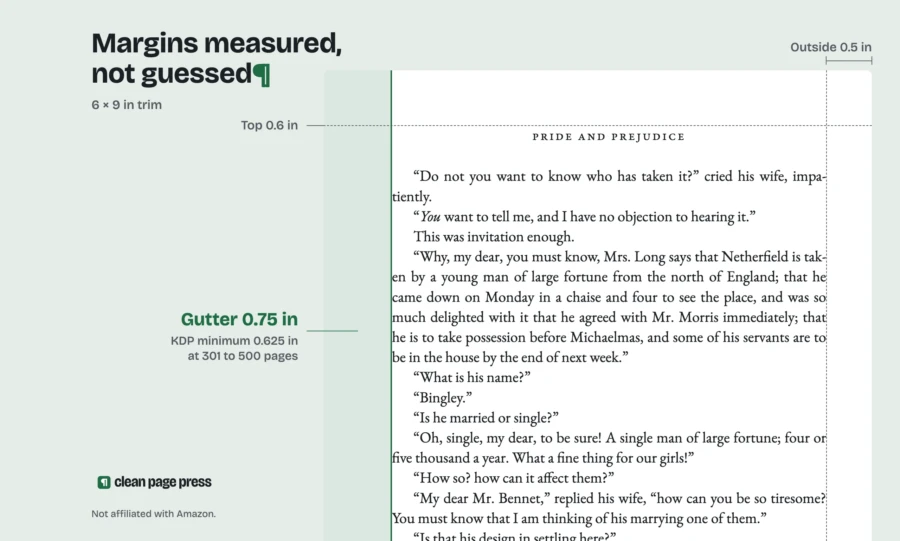
For a book with bleed, KDP's margin table sets the outside margin at a minimum of 0.375 in (9.6 mm). That applies to the top, bottom and outside edge. Measure it from the trim line, not from the edge of the bleed.
The inside margin, the gutter, depends on page count. For 24 to 150 pages, which covers almost every picture book, KDP sets it at 0.375 in.
So a square 8.5 book keeps all text in a box at least 0.375 in in from every side of the trimmed page. Our working habit is to give text more room than that minimum, because a line of type sitting right on a margin looks cramped even when it passes.
The same page asks you to check that text is at least 7 point. Small type in a speech bubble is where picture books most often get close.
Can art go across two pages in a KDP picture book?
Yes, but you upload it as two pages. The Paperback Submission Guidelines say: "We require single page files (as opposed to spreads or 2-up files)."
So a spread is drawn as one wide image and then split down the middle into a left page and a right page. Each half gets its own bleed on its three trimmed edges. The inside edges meet at the spine and get no bleed.
That middle line is the risk. The gutter is where the pages bind, and part of each page curls into it. A face or a word sitting on the center line of a spread can disappear into the binding. Our advice: keep faces, text and key details out of the middle of every spread, at least the gutter margin away from the fold on each side.
Read the left and right pages in the right order, too. KDP's formatting page says even numbers go on left pages and odd numbers on right pages. A spread split onto pages 7 and 8 lands on the back and front of the same sheet, not side by side. It has to sit on an even page and the odd page after it, like 6 and 7.
The fix we do for this: we lay out picture book interiors at your trim size with the bleed, margins and spread splits set to KDP's numbers, and check the PDF against KDP's print specs before you upload. Image-heavy books are quoted per book. Send us a few pages for a free look.
Which color ink should a picture book use?
For most picture books, premium color. KDP's Print Options page says a paperback can use premium color or standard color, both on white paper.
The page count decides it. When we read KDP's Paperback Submission Guidelines on 16 October 2026, standard color ran from 72 to 600 pages and premium color from 24 to 828. A 32 page picture book is below the standard color minimum, so premium color is the only color option at that length.
KDP's Paperback Printing Cost page lists premium color from 42 pages for its pricing specification. That page and the submission guidelines do not match on the low end, so check the page count KDP shows in setup before you price a very short book.
Standard color is not offered on hardcover at all, KDP's Print Options page says. If a hardcover edition is in the plan, the art has to work in premium color anyway.
What page count rules apply to a picture book?
The minimum page count is 24, KDP's Paperback Submission Guidelines say. KDP counts the pages from your file and rounds up to an even number if needed.
Blank pages have a limit too. KDP's formatting page allows no more than 4 blank pages in a row at the start or middle of the file, and 10 at the end. A picture book with endpapers left blank on purpose needs to stay inside that.
Plan the count in even numbers from the start, and count every page in the PDF: title page, copyright page and any blank versos. That way the spreads land on the pages you drew them for.
Page count also sets the spine. KDP's cover page says text on the spine needs at least 79 pages, so most picture books have a blank spine.
How do I export the PDF so KDP accepts it?
A bleed interior has to be a PDF. The Paperback Submission Guidelines say a book with images or elements that bleed to the edges must be uploaded as a PDF, so a Word file is out.
Before you export, the same guidelines ask for:
- Images at 300 DPI minimum. KDP recommends no more than 600 DPI to keep the file under 650 MB.
- Transparent objects and layers flattened in the native file.
- All fonts and images embedded.
- No crop marks, trim marks, bookmarks, comments, annotations or placeholder text.
- No locked or encrypted file and no watermark from the PDF software.
Resolution is the one picture books fail most visibly, because a soft image shows on a full page. Our post on KDP image resolution shows how to check the DPI of each image at its printed size.
Then upload, choose bleed in the print options, and open the Print Previewer. Look at every page edge and every spread center before you approve it.
Questions authors ask
What size is a KDP picture book PDF with bleed for 8.5 x 8.5? 8.625 x 8.75 in. Add 0.125 in to the width and 0.25 in to the height.
Do I add bleed to the inside edge? No. KDP only trims the top, bottom and outside edges, so the inside edge gets no bleed.
Can I upload my spreads as wide pages? No. KDP requires single page files, so split each spread into a left page and a right page.
Can a picture book be 24 pages on KDP? Yes, 24 is the minimum, and it has to be premium color if it is in color. Standard color starts at 72 pages.
Can I make my picture book in Word? Not with bleed. A bleed interior has to be uploaded as a PDF, so the art and pages need a layout tool that exports one.
Does bleed cost more to print? No. KDP's Paperback Printing Cost page says bleed settings do not affect printing cost.
Your next step
Write down your trim size, add 0.125 in to the width and 0.25 in to the height, and give that page size to your illustrator before the first page is painted. Mark a 0.375 in text margin on every page and keep faces out of the middle of each spread.
If the art is done and the layout is the part left, send the pages through our paperback interior service. A text-only paperback interior is $169 in 6 business days. Picture books and other image-heavy layouts are quoted per book once we see the files, so tell us the trim size and the page count when you send them.