Short answer. KDP margins for a 6x9 paperback are the same as for every other trim size. They change with bleed and with page count, not with the page. For a 6 x 9 book with no bleed and 200 pages, the minimums are 0.25 inch on the top, bottom and outside, and 0.5 inch on the inside.
Everything on this page comes from KDP's own help page, Set Trim Size, Bleed, and Margins, checked on 2026-10-12. The text-area sizes further down are our arithmetic from those minimums. They are not KDP figures.
If you would rather have them set for you, our paperback interior formatting sets the trim size, gutter and bleed for your page count.
What are KDP's minimum margins?
KDP's minimum margins are at least 0.25 inch on the top, bottom and outside for a book without bleed, and at least 0.375 inch (9.6 mm) for a book with bleed. The inside margin, the gutter, grows with page count so text does not vanish into the binding. These are minimums, not recommendations.
There are two kinds of margin.
Outside, top and bottom. At least 0.25 inch for a book without bleed. At least 0.375 inch (9.6 mm) for a book with bleed. These three do not have to match each other.
Inside (the gutter). This is the edge next to the spine, and it grows with page count so text does not vanish into the binding:
| Page count | Inside (gutter) margin, minimum |
|---|---|
| 24 to 150 | 0.375 inch (9.6 mm) |
| 151 to 300 | 0.5 inch (12.7 mm) |
| 301 to 500 | 0.625 inch (15.9 mm) |
| 501 to 700 | 0.75 inch (19.1 mm) |
| 701 to 828 | 0.875 inch (22.3 mm) |
Many books use more. A very tight margin is allowed, but it can look cramped, and text can feel hard to read near the spine.
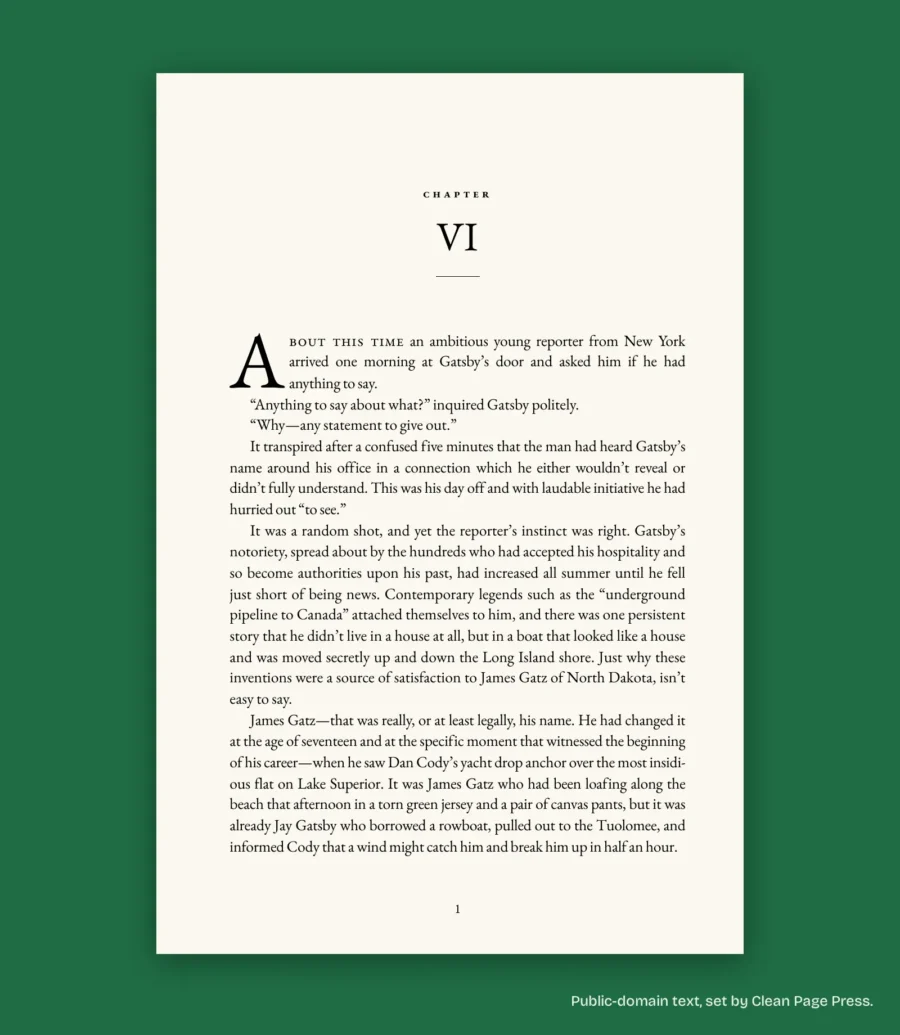
For comparison, the 6 x 9 sample chapter from The Great Gatsby that we set on October 10, 2026 uses 0.75 inch inside and 0.6 inch outside, with 34 lines a page. At 14 pages, that gutter is twice KDP's 0.375 inch minimum.
What do the KDP margins 6x9 and other trims leave for text?
The margins are the same on every trim size. What changes is how much page is left for text. The table shows the width and height of the text area for a book with no bleed, using the minimum margins (0.25 inch top, bottom and outside, plus the gutter for that page count).
| Trim size (inches) | 150 pages | 300 pages | 500 pages | 700 pages |
|---|---|---|---|---|
| 5 x 8 | 4.375 x 7.5 | 4.25 x 7.5 | 4.125 x 7.5 | 4 x 7.5 |
| 5.5 x 8.5 | 4.875 x 8 | 4.75 x 8 | 4.625 x 8 | 4.5 x 8 |
| 6 x 9 | 5.375 x 8.5 | 5.25 x 8.5 | 5.125 x 8.5 | 5 x 8.5 |
| 8.5 x 11 | 7.875 x 10.5 | 7.75 x 10.5 | 7.625 x 10.5 | 7.5 x 10.5 |
Each cell is text width x text height in inches. The formula is: width = page width, minus gutter, minus 0.25; height = page height, minus 0.5.
Two notes. KDP's page limits depend on trim size and on the ink and paper you choose, so check that your page count is allowed for your combination. For example, a 6 x 9 or 5 x 8 paperback with black ink on white paper is allowed from 24 to 828 pages. And 6 x 9 is KDP's default and the most common U.S. paperback size, while anything wider than 6.12 inches or taller than 9 inches is a "large trim size" with different printing costs, which includes 8.5 x 11. Source: Set Trim Size, Bleed, and Margins.
What changes if your book has bleed?
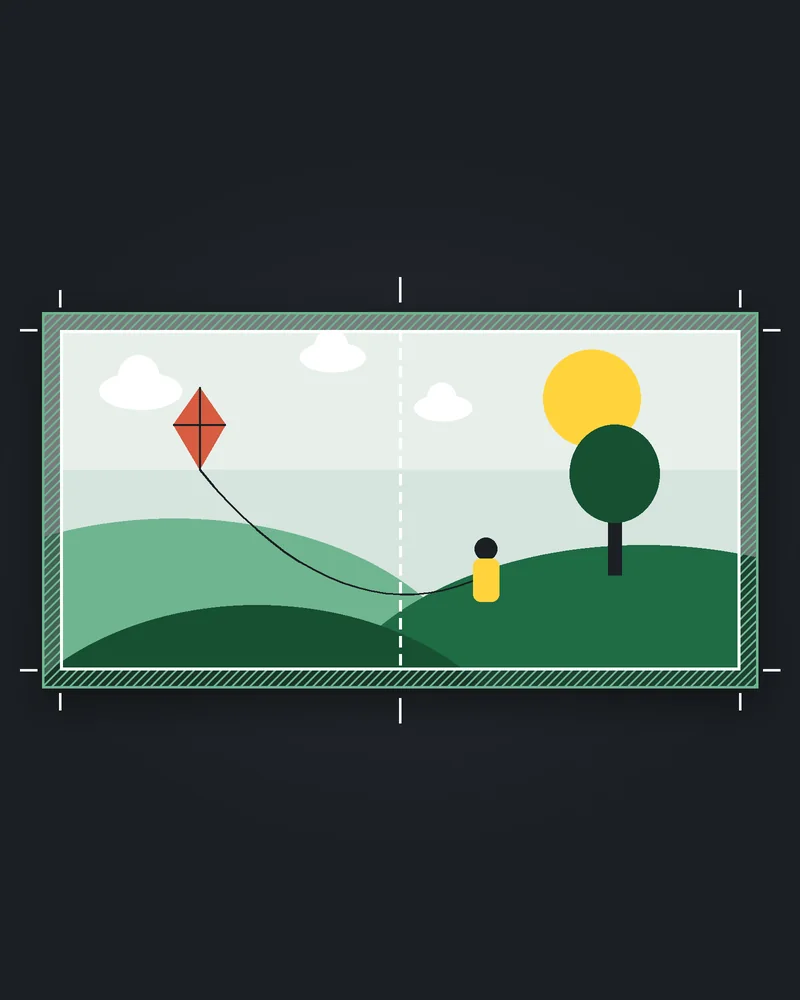
With bleed, your page is bigger than the trim size, and the minimum outside, top and bottom margins go up to 0.375 inch. KDP prints on larger paper and trims 0.125 inch off the top, bottom and outside edges. Bleed is only needed when images, backgrounds or illustrations reach the edge of the page. Our post on KDP bleed vs no bleed walks through which interiors need it.
Two consequences:
- Your page is bigger than the trim size. KDP's Word walkthrough says to add 0.125 inch to the width and 0.25 inch to the height. For a 6 x 9 book, that is a 6.125 x 9.25 inch page, which fits the rule that 0.125 inch is cut from the top, bottom and outside edges.
- The minimum outside, top and bottom margins go up to 0.375 inch.
If even one page in the interior needs bleed, KDP says to set up the whole file with bleed, and to choose the bleed option in the print options when you upload. Covers always need bleed. The cover is sized from your page count and paper, because they set the spine width; our post on KDP paperback cover size has the formula and worked 6 x 9 sizes, and we can build the full cover wrap once your page count is final.
How do you set margins in Word?
Set the page size to your trim size first, then open Layout, then Margins, then Custom Margins, and choose Mirror margins under Pages. Enter the top, bottom and outside margins, and the inside margin for your page count. Leave Word's separate Gutter field empty. Then check every page, including running headers, page numbers and images.
- Set the page size to your trim size, or to the bleed size if you use bleed. Do this first.
- Open Layout, then Margins, then Custom Margins.
- Under Pages, choose Multiple pages: Mirror margins. This makes the "Inside" and "Outside" boxes appear, so the wide margin always sits next to the spine. KDP's help page on fixing formatting issues recommends mirrored margins.
- Enter the top, bottom and outside margins, and the inside margin for your page count.
- Leave Word's separate Gutter field empty. KDP's Word walkthrough says: "Do not enter any value into the Gutter field." Source: Format a Paperback Manuscript (Word for Windows).
- Check every page: running headers, page numbers and images must stay inside the margins too.
If you would rather not start from a blank page, KDP offers free Word templates with the page size and margins already set, sorted by trim size. Source: Paperback and Hardcover Manuscript Templates. The rest of the Word setup is in our step-by-step guide to formatting a book for KDP in Word.
Which margin mistakes cause rejections?
The mistakes that cause rejections are reusing the margins from a shorter book, changing the page count after you set the margins, forgetting mirrored margins, mixing up bleed and no bleed, and hidden content outside the margin. The gutter is tied to page count, so a 140-page file at 0.375 inch becomes wrong at 160 pages.
- Reusing the margins from a shorter book. The gutter is tied to page count. A 140-page file at 0.375 inch becomes wrong at 160 pages.
- Changing the page count after you set the margins. Edits, a new chapter or an added page of acknowledgments can push you over a line in the gutter table.
- Forgetting mirrored margins. The wide margin ends up on the outside of every other page.
- Mixing up bleed and no bleed. Margins of 0.25 inch are only acceptable without bleed. With bleed, the minimum is 0.375 inch.
- Hidden content outside the margin. Stray spaces or characters can trigger an error, even when the page looks fine.
If KDP rejects the file, its Print Previewer lists the pages that need to change. See Fix Paperback and Hardcover Formatting Issues. We also cover the other common causes in our post on why KDP keeps rejecting books.
What else do authors ask?
At least 0.25 inch top, bottom and outside with no bleed, or 0.375 inch with bleed. The inside margin is 0.375 inch up to 150 pages, 0.5 inch for 151 to 300, 0.625 inch for 301 to 500, 0.75 inch for 501 to 700 and 0.875 inch for 701 to 828.
No. The minimums are the same. The text area gets smaller or larger because the page does.
Yes. KDP's Paperback file setup calculator, on its Tools and Resources page, works out margin, bleed and spine measurements. The Set Trim Size page links to it as "try our calculator". Source: Paperback file setup calculator, checked 2026-10-12.
Want the margins handled for you?
We set the trim size, gutter and bleed to match your page count, check the file against KDP's print specs before you see it. If KDP rejects our files for a formatting reason within 60 days of delivery, we fix them free until they are accepted. Start with a free sample of up to 1,300 words of your book, one per author, back in 2 business days: ask for your free sample.
Margin figures were checked against KDP's help pages on 2026-10-12. KDP can change its limits, so check the linked pages before you rely on a number.